Data Collection Example
Collect Data
The data collected using this example can be converted to LeRobot format with the conversion script we provide, making it easier for users to perform training.
"""
Data Collection Example

This script demonstrates how to use DataCollector to collect robot data
"""

import time
from typing import Annotated
from pathlib import Path
import typer
import signal
import sys

# Add current directory to Python path (to import data_collection module)
sys.path.insert(0, str(Path(__file__).parent))

from data_collection.data_collector import DataCollector
from data_collection.collection_config import CollectionConfig
from x2robot import connect

def signal_handler(sig, frame):
    """Handle Ctrl+C signal"""
    print("\n\nReceived interrupt signal, stopping...")
    # Note: DataCollector has already registered a signal handler to clean up temporary files
    # Just exit here, cleanup work is done by DataCollector's signal handler
    sys.exit(0)

def create_collection_config_for_quanta_x1() -> CollectionConfig:
    # Do not set SDK mode
    collection_config = CollectionConfig()

    collection_config.slave_joint_names = [
        'left_arm_joint_states',
        'right_arm_joint_states',
        'lift_joint_states',
        'left_gripper_joint_states',
        'right_gripper_joint_states',
        'head_joint_states'
    ]
    # action_names will be generated automatically from joint_names, or can be specified manually
    collection_config.enable_head_rgb_stream = True # Collect head RGB video stream
    collection_config.enable_left_arm_rgb_stream = True # Collect left arm RGB video stream
    collection_config.enable_right_arm_rgb_stream = True # Collect right arm RGB video stream
    collection_config.enable_left_arm_end_pose = True # Collect left arm end pose
    collection_config.enable_right_arm_end_pose = True # Collect right arm end pose
    collection_config.enable_odometry = True # Collect odometry data
    collection_config.enable_master_arm_data = True # Collect master arm joint states and end pose
    collection_config.enable_wrench_ext_world = True # Collect wrist external force
    collection_config.enable_wrench_ext_local = True # Collect wrist local force

    return collection_config

def create_collection_config_for_quanta_x2() -> CollectionConfig:
    collection_config = CollectionConfig()
    collection_config.slave_joint_names = [
        'left_arm_joint_states',
        'right_arm_joint_states',
        'waist_joint_states',
        'head_joint_states'
    ]
    # action_names will be generated automatically from joint_names, or can be specified manually
    collection_config.enable_head_rgb_stream = True # Collect head RGB video stream
    collection_config.enable_left_arm_rgb_stream = True # Collect left arm RGB video stream
    collection_config.enable_right_arm_rgb_stream = True # Collect right arm RGB video stream
    collection_config.enable_left_arm_end_pose = True # Collect left arm end pose
    collection_config.enable_right_arm_end_pose = True # Collect right arm end pose
    collection_config.enable_left_gripper_position = True # Collect left gripper position
    collection_config.enable_right_gripper_position = True # Collect right gripper position
    collection_config.enable_odometry = True # Collect odometry data

    collection_config.enable_waist_end_pose = True # Collect waist end pose

    # No master arm joint states and end pose
    # No wrist external and local force
    # Has tactile sensor data
    collection_config.enable_left_gripper_tactile = True # Collect left finger tactile sensor data
    collection_config.enable_right_gripper_tactile = True # Collect right finger tactile sensor data
    return collection_config

def create_collection_config_for_desktop() -> CollectionConfig:
    collection_config = CollectionConfig()
    # Collect slave arm joint states (Desktop model, only left and right arms)
    collection_config.slave_joint_names = [
        'left_arm_joint_states',
        'right_arm_joint_states',
        'left_gripper_joint_states',
        'right_gripper_joint_states'
    ]
    # action_names will be generated automatically from joint_names, or can be specified manually
    collection_config.enable_head_rgb_stream = True # Collect head RGB video stream
    collection_config.enable_left_arm_rgb_stream = True # Collect left arm RGB video stream
    collection_config.enable_right_arm_rgb_stream = True # Collect right arm RGB video stream
    collection_config.enable_left_arm_end_pose = True # Collect left arm end pose
    collection_config.enable_right_arm_end_pose = True # Collect right arm end pose
    return collection_config

def main(
    server: Annotated[str, typer.Option(help="server address, e.g., localhost:50051")] = "localhost:50051",
):
    # Register signal handler
    signal.signal(signal.SIGINT, signal_handler)

    # Connect to robot
    print(f"Connecting to robot {server}...")
    robot = connect(f"x2://{server}")
    print("✓ Robot connected successfully")

    if robot.get_robot_model() == "quanta_x1":
        collection_config = create_collection_config_for_quanta_x1()
    elif robot.get_robot_model() == "quanta_x2":
        collection_config = create_collection_config_for_quanta_x2()
    elif robot.get_robot_model() == "desktop":
        collection_config = create_collection_config_for_desktop()
    else:
        raise ValueError(f"Invalid model: {robot.get_robot_model()}, valid models: quanta_x1, quanta_x2, Desktop")

    # Create data collector - optimize configuration to improve performance
    collector = DataCollector(
        robot=robot,
        output_dir="./collected_data",
        target_hz=30,                      # Target frequency (after downsampling)
        collection_config=collection_config,
        image_quality=95,                  # JPEG quality
        downsample_joint_states=True,       # Whether to downsample joint states, recommended to enable (eg: 500Hz -> target_hz=60Hz)
        use_video_storage=True
    )

    print("\n" + "="*60)
    print("Data collector is ready")
    print("="*60)
    print(f"Output directory: {collector.output_dir}")
    print(f"Target frequency: {collector.target_hz} Hz")
    print(f"Image storage: {'MP4 video' if collector.use_video_storage else 'JPG image'}")
    print("\nTips:")
    print("  - start_recording() will start all data collection threads automatically")
    print("  - stop_recording() will stop all threads automatically and save data")
    print("  - press Ctrl+C to interrupt the program at any time")
    print("="*60 + "\n")

    try:
        # Record multiple episodes
        episode_index = 0
        while True:
            # Show current episode number to record (based on number of existing episodes)
            current_episode_num = collector.episode_count
            print(f"\n{'='*60}")
            print(f"Ready to record Episode {current_episode_num}")
            print(f"{'='*60}")

            # Ask for task name
            task_name = input("Enter task name (e.g.: pick_trash, press Enter to use default name): ").strip()
            if not task_name:
                task_name = "pick_trash"

            print(f"\nTask name: {task_name}")
            print("Please prepare the robot, press Enter to start recording...")
            input()

            # Start recording (will start all data collection threads automatically)
            print("\n" + "="*60)
            print("Start recording...")
            print("="*60)
            collector.start_recording(task=task_name)

            print("\n✓ All data collection threads have been started")
            print("Recording in progress...")
            print("Tips: execute your task, press Enter to stop recording")
            print("      (or press Ctrl+C to interrupt current recording)\n")

            # Print statistics every second
            recording_interrupted = False
            while True:
                try:
                    # Non-blocking input detection
                    import select
                    if select.select([sys.stdin], [], [], 1)[0]:
                        input()  # Read input
                        break

                    # Print statistics
                    collector.print_stats()
                except KeyboardInterrupt:
                    print("\n\nReceived interrupt signal, stopping recording...")
                    recording_interrupted = True
                    break

            # Stop recording (will stop all data collection threads automatically)
            episode_info = None
            if collector.is_recording:
                episode_info = collector.stop_recording()

            if episode_info:
                episode_id = episode_info['episode_id']
                print(f"\n{'='*60}")
                print(f"✓ Episode {episode_id} recording completed!")
                print(f"{'='*60}")
                print(f"  - Episode ID: {episode_id}")
                print(f"  - Task name: {episode_info.get('task', task_name)}")
                print(f"  - Number of frames: {episode_info['num_frames']}")
                print(f"  - Duration: {episode_info['duration']:.2f}s")
                print(f"  - Save path: {episode_info['episode_dir']}")
            else:
                current_episode_num = collector.episode_count
                print(f"\n⚠️  Episode {current_episode_num} recording failed")

            if recording_interrupted:
                print("\nRecording interrupted")
                break

            # Ask whether to continue recording
            print("\n" + "-"*60)
            continue_recording = input("Continue recording next episode? (y/n, default n): ").strip().lower()
            if continue_recording != 'y':
                print("Stop recording")
                break

            episode_index += 1

    except KeyboardInterrupt:
        print("\n\nReceived interrupt signal, stopping...")
    except Exception as e:
        print(f"\nError: {e}")
        import traceback
        traceback.print_exc()
    finally:
        # Ensure stopping recording (if still recording)
        if collector.is_recording:
            print("\nStopping recording...")
            collector.stop_recording()

        print("\n" + "="*60)
        print("Data collection completed!")
        print("="*60)
        print(f"Total {collector.episode_count} episodes recorded")
        print(f"Data saved in: {collector.output_dir}")
        print(f"\nConvert to LeRobot format:")
        print(f"python3 tools/convert_to_lerobot.py \\")
        print(f"    --input-dir {collector.output_dir} \\")
        print(f"    --output-dir ./lerobot_data \\")
        print(f"    --repo-id my_robot/dataset \\")
        print(f"    --robot-type {robot.get_robot_model()} \\")
        print(f"    --use-videos")

if __name__ == "__main__":
    typer.run(main)
Data collection requires relatively high network bandwidth. Configure the wired network as described in the Network Configuration section before performing data collection
Data collection example:
python3 examples/data_collection_example.py --server 192.168.10.1:50051When prompted for a task name, leaving it blank uses the default name pick_trash.
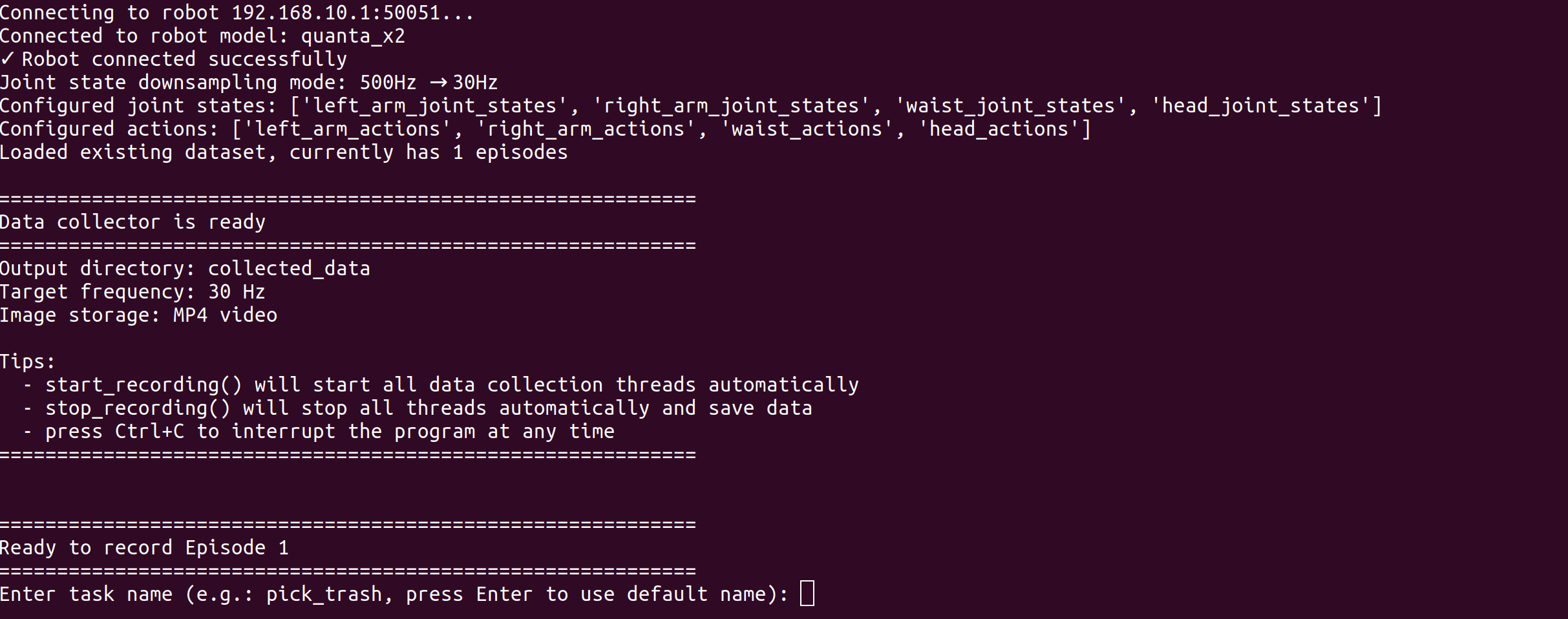
After entering the task name, press Enter again to start recording

Data collection starts and an Episode begins recording, with statistics updated once per second
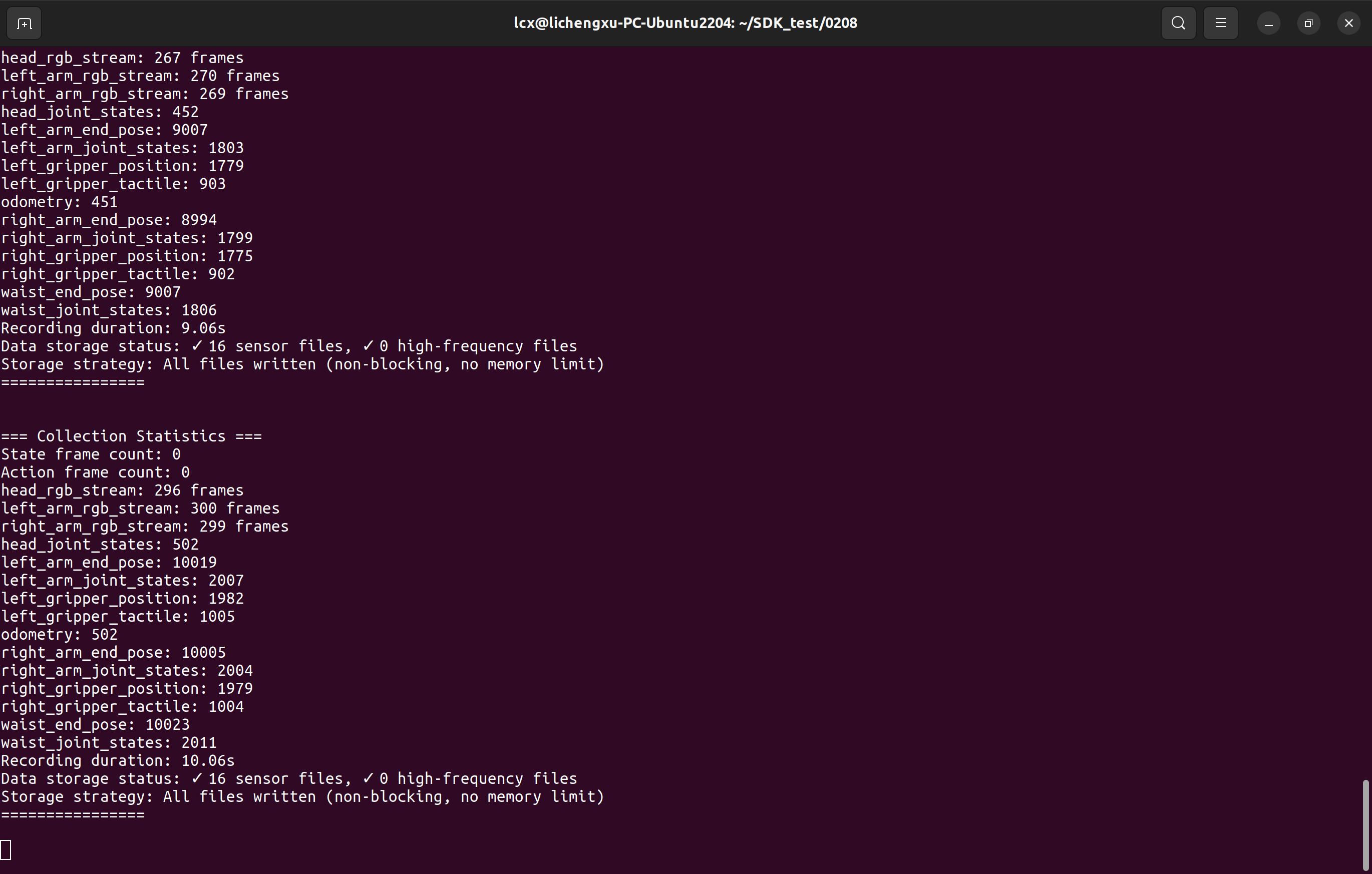
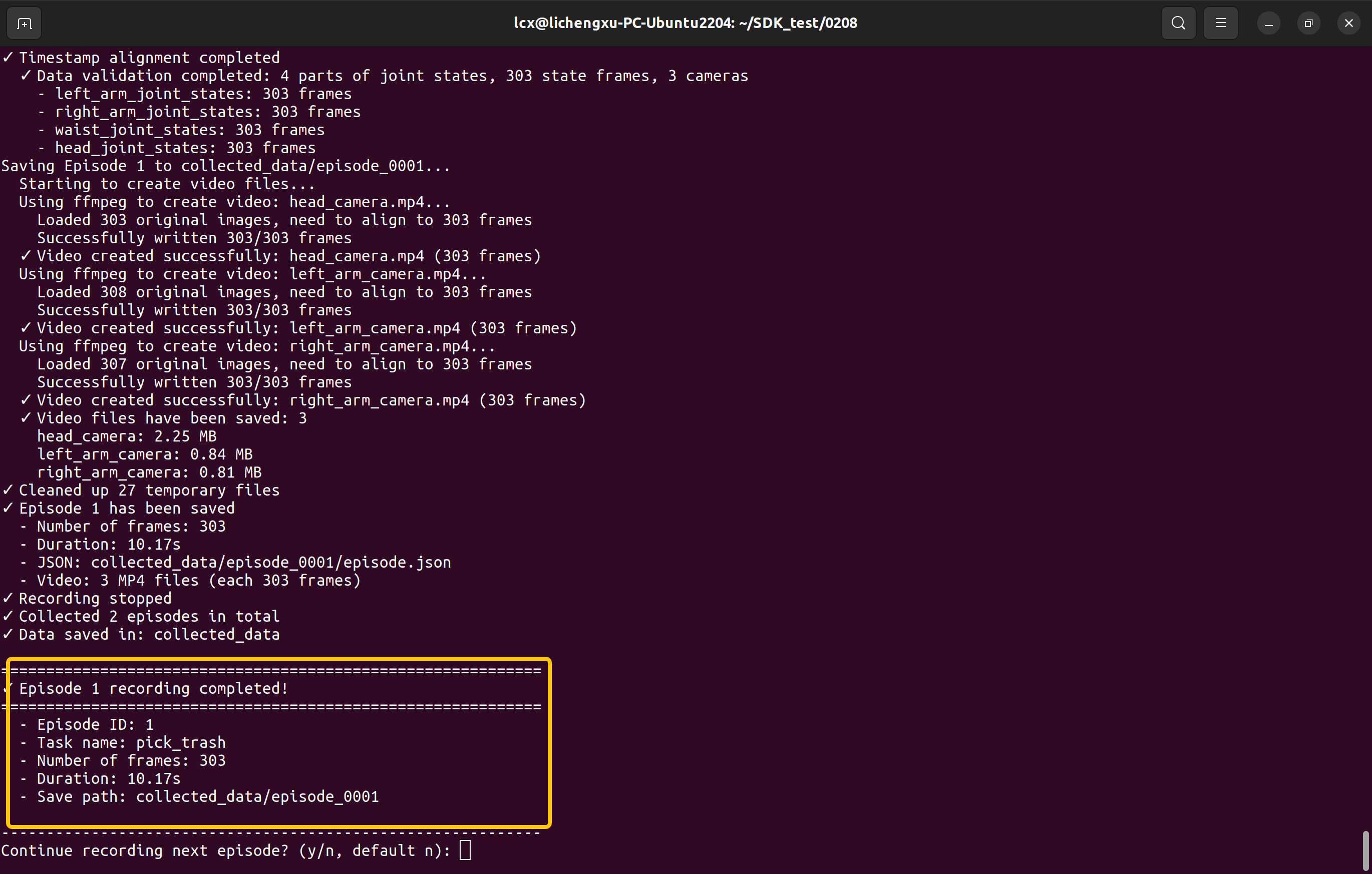
Press Enter again to stop recording the current episode. If the boxed information below appears, the current episode has been recorded successfully.
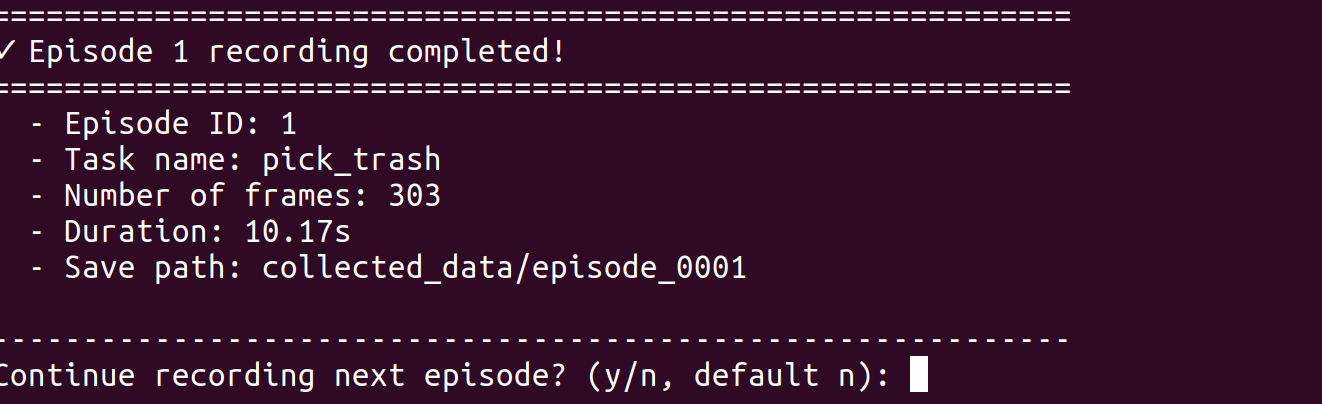
After data processing is complete, you can choose to continue recording the next Episode or stop recording
Data Playback
Data replay requires switching the master arm side to idle mode
After successfully switching to idle mode, run the data_replay_example.py script under examples to specify the episode to replay and the replay mode (joint position control or end-effector pose control)
python3 examples/data_replay_example.py ./collected_data/episode_0003/ --server 192.168.10.1:50051 --mode end_poseConvert Data to LeRobot Format
We provide a script that converts data collected with DataCollector to LeRobot format.
Install the LeRobot dependencies before using this script.
https://github.com/huggingface/lerobot/releases/download/v0.4.2/lerobot-0.4.2-py3-none-any.whl
Remember to also activate the virtual environment before installation
pip install lerobot-0.4.2-py3-none-any.whlInstallation will take some time. Once completed, use the convert_to_lerobot.py script for conversion
python3 tools/convert_to_lerobot.py \
    --input-dir collected_data \
    --output-dir ./lerobot_data \
    --repo-id my_robot/dataset \
    --robot-type quanta_x1 \
    --use-videos