SDK Issues
Q1: Package import error when executing sample code?
As shown in the figure below:

This is usually because the virtual environment has not been sourced. Please run the following command, adjusting the path according to your virtual environment installation directory:
source .venv/bin/activateQ2: Error running playback script, error running inference script
-
If there are no issues with the collected data but running the playback script results in an error, it may be because the current mode is data collection mode. You need to switch to idle mode to perform playback
-
Running the inference script also requires switching to idle mode to succeed; otherwise, an error will occur as shown in the figure below:

When running the script, the system switches from idle mode to SDK mode
Q3: Mapping failed, and the robot cannot navigate based on target points
During localization and navigation, the robot does not move and reports the error "map save failed," as shown in the figure below:
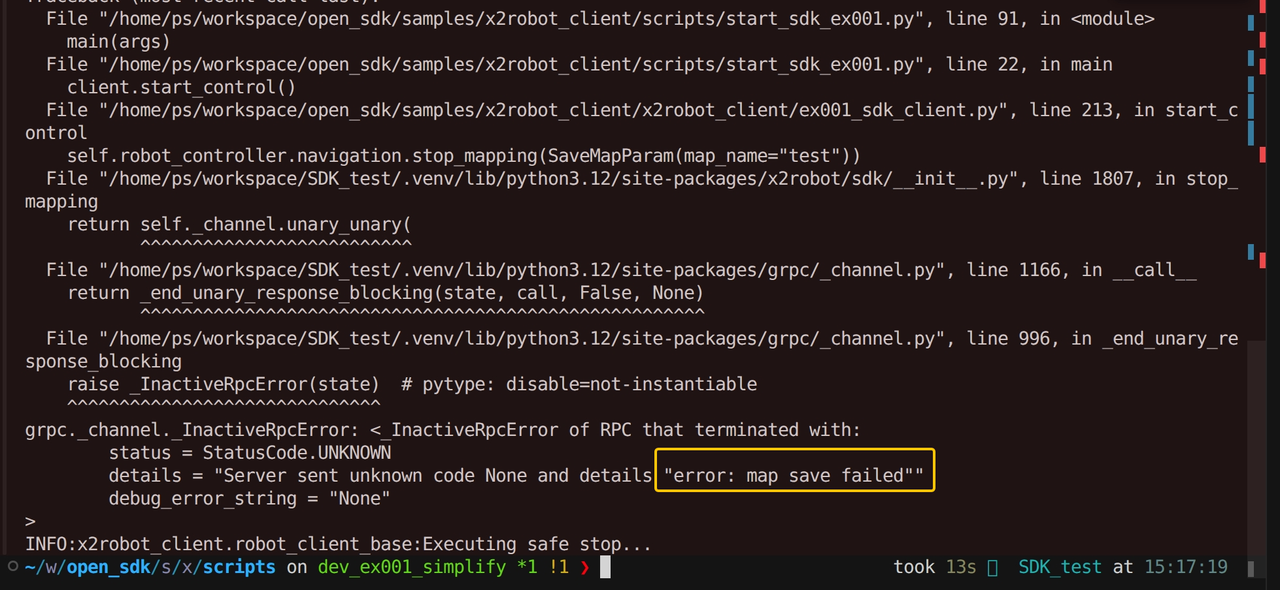
To ensure accurate localization and navigation, the robot requires the moving distance to reach 3.5 m or the rotation angle to reach 210 degrees during the mapping process before the map is considered valid! After starting mapping, move the robot sufficiently back and forth in an open area before stopping mapping. See the sample code chassis_control.py.
# Switch control-mode to map, which will first build a map and then navigate to the target point using relative localization
python3 chassis_control.py --server 192.168.10.11:50051 --control-mode map
Q4: Both robot arms completely lose power during operation
Under the current mechanism, when the robot battery level falls below 7%, power to the arms is cut first and all arm joint motors automatically release their brakes. Add real-time battery monitoring to the control program. See system.py for an example of reading the current battery level:
result = robot.system.get_dynamic_info()
print(f"dynamic_info:{result.power_status.value}")
Q5: Runtime error "Connection reset by peer"?
There are three common causes of connection interruptions:
-
When controlling the robot over a wireless connection, the data volume is high, and network latency or packet loss may interrupt the connection. For high-frequency control, use a validated wired network whenever possible.
-
During wired data collection, insufficient data-writing or processing throughput may also interrupt the connection. Close unnecessary high-load processes on the user PC, check CPU, memory, disk, and network status, and then retry.
-
Inference depends on both the model-inference WebSocket and the robot SDK Server. A failure in the model service, robot SDK Server, or intervening network can interrupt the connection.
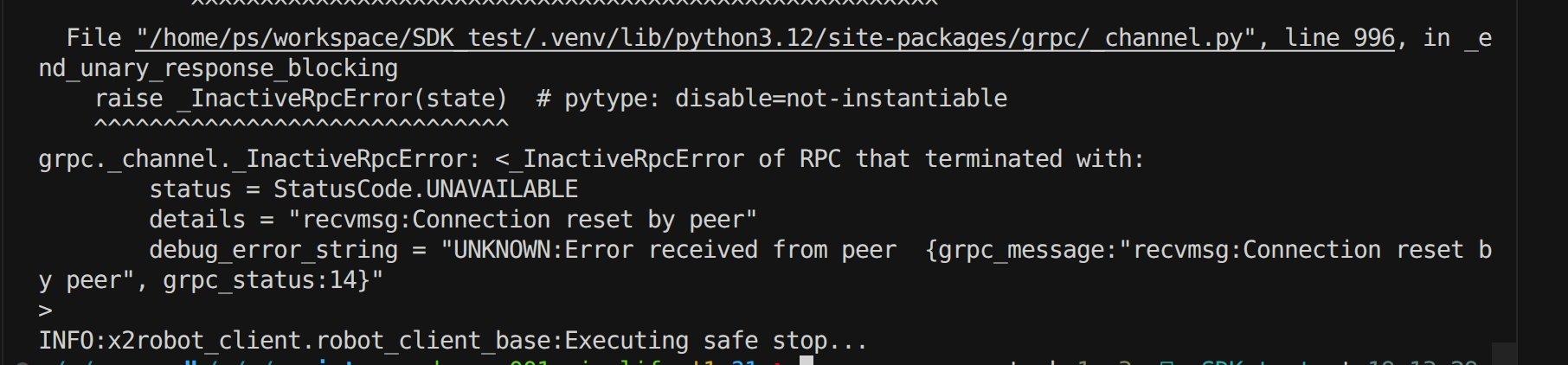
After a connection interruption, first confirm that the robot has stopped safely, then check the model inference service, robot SDK Server, and network routing on the development PC.
Once the required conditions have been restored, rerun the Sample. Rerunning start_sdk_ex001.sh will establish a new client session.
When start_sdk_ex001.sh is run again for inference, the inference workflow continues from the previous interruption.